Travel document backups: store copies without exposing sensitive details
Plan secure access to document copies and official contacts. A useful backup should remain available after a loss without becoming a public folder of sensitive details.
Content Writer Specialist for Rumbía’s English blog, focused on practical travel guidance, airline policy explainers, baggage and ticketing questions, and reader-friendly destination planning.
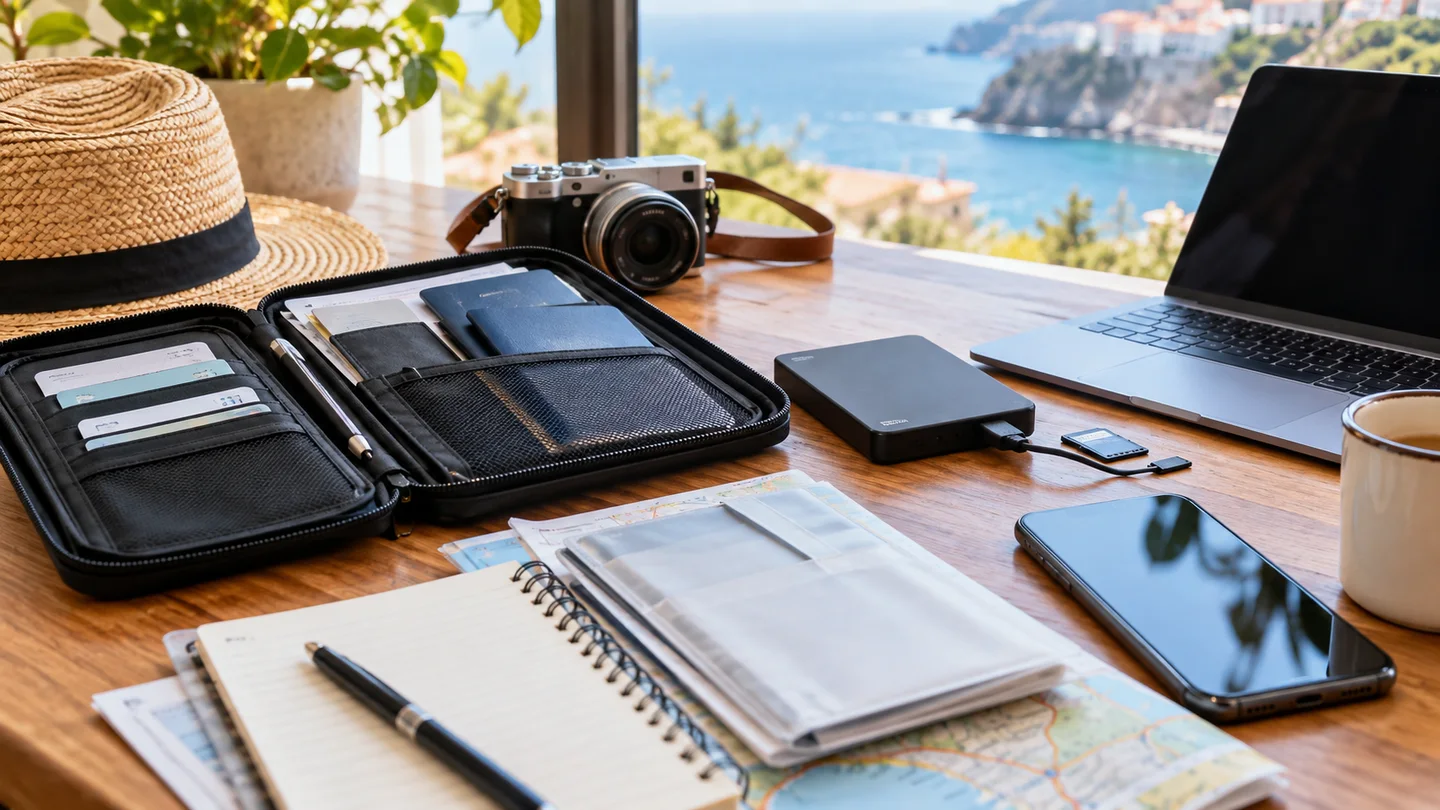
A travel-document backup should help you recover information when an original or a device is unavailable, without spreading passport scans and booking references across places you cannot control. Keep essential copies accessible to you, separate from the originals, and share only what a particular task requires.
Start by deciding what each copy is for. A passport image may help you explain a loss; a hotel confirmation helps identify the stay; an emergency contact list helps you reach the right organisation. None of those purposes requires putting every document into a public link.
Separate recovery information from everyday travel information
The U.S. State Department's international travel checklist recommends preparing copies of travel documents, keeping copies separate from originals and leaving useful information with someone trusted. For U.S. travellers, that provides a practical starting point. Your storage choices still need to reflect who can access the copies.
Make two groups. The everyday group contains information you repeatedly need: flight times, property address, contact details and transport meeting points. The recovery group contains sensitive identity documents and permissions that you should open or share more selectively. This reduces the need to expose a passport page while showing someone a hotel address.
- Check that document images are complete and readable before leaving home.
- Identify the current version so an expired passport copy does not look current.
- Keep relevant visa or permission information linked to the correct traveller.
- Record official contact routes separately from the document files themselves.
Design for the loss you are trying to survive
If every original and paper copy is in the same bag, losing that bag removes both. If every digital copy is available only on the same phone, losing that phone may defeat the backup. Think through those two events rather than simply making more copies.
One approach is a securely stored digital copy plus a limited paper backup kept separately from the original documents. If you use an online account, protect it with a unique strong password and an additional sign-in factor where available. Plan how you could recover access without the travelling phone; use the service's official recovery instructions and keep recovery material private.
Test access before travel. Can you find the right file without mobile data? Does the device require an account sign-in you cannot complete offline? Are shared-folder permissions limited to the intended person? A test that opens the actual file is more useful than seeing its filename in a list.
Share the smallest useful set
A driver generally needs pickup details, not your passport scan. A travelling companion may need the hotel address without needing every identity document. A trusted emergency contact may need a broader recovery set, but should understand when to use it and how to contact you.
For a genuine request from an airline, accommodation provider or authority, establish the recipient and official channel first. Ask which document and fields are required. Where a complete unaltered document is necessary, provide it through the confirmed process; a redacted copy cannot be assumed acceptable for every formal check.
A public booking screenshot can expose names, references and barcodes. Prepare a separate redacted image if you want to discuss an itinerary online, rather than editing the only usable copy. This is a privacy precaution, not a claim that every exposed reference enables the same kind of account access.
When the backup becomes necessary
If an original passport is lost, use the relevant government's replacement process. A scan helps retrieve details; it does not automatically authorise boarding or entry. If a booking detail conflicts with an identity document, consult the appropriate provider instead of altering the image. Our hotel booking and passport-name guide explains that specific mismatch.
For expenses and service evidence, keep receipts and confirmations in a separate trip folder. The Mexico travel-evidence guide shows how to identify those records without mixing them with identity recovery material.
After the trip, remove unnecessary sharing permissions and obsolete temporary copies. Retain records you still need for a claim or other legitimate purpose, and avoid leaving old public links active merely because the holiday is over.
Frequently asked questions
Can a passport photo replace the original?
Do not rely on that. It can help recover information, but boarding, border entry and replacement documents follow the relevant authority's requirements.
Is emailing every document to myself enough?
Consider account security and recovery access, especially if your phone is lost. A backup is useful only if you can retrieve it under the circumstances you planned for.
Should my whole travel group have every passport scan?
Only share what each person needs. A shared itinerary and emergency contact plan often require less sensitive information than a complete identity-document folder.
Should I delete everything immediately after returning?
Review the purpose of each record first. Remove unnecessary copies and access while retaining documents still needed for an unresolved claim or other applicable requirement.
About William Smith
Content Writer Specialist for Rumbía’s English blog, focused on practical travel guidance, airline policy explainers, baggage and ticketing questions, and reader-friendly destination planning.
LinkedIn profile

Interested in travel updates?
Leave your email if you would like to hear from Rumbía about new guides and articles.
Your request is emailed to Rumbía. This form does not start an automatic newsletter subscription.